
Home > Productos > DJI Mic Mini 2 > DJI Mic Mini 2 (1 TX + 1 RX)
€66,00€54,55
Excl. btw
Incl. btw
Op voorraad
✔ Customer review: 9,6 / 10
✔ Free shipping for orders over €99
✔ Standard EUwarranty included
✔ Secure payments with SSL encryption
✔ Personal customer service
✔ Fast & reliable delivery
✔ Multiple payment methods available
✔ ISO 9001 certified
✔ Customer review: 9,6 / 10
✔ Free shipping for orders over €99
✔ Standard EUwarranty included
✔ Secure payments with SSL encryption
✔ Personal customer service
✔ Fast & reliable delivery
✔ Multiple payment methods available
✔ ISO 9001 certified
✔ Customer review: 9,6 / 10
✔ Free shipping for orders over €99
✔ Standard EUwarranty included
✔ Secure payments with SSL encryption
✔ Personal customer service
✔ Fast & reliable delivery
✔ Multiple payment methods available
✔ ISO 9001 certified
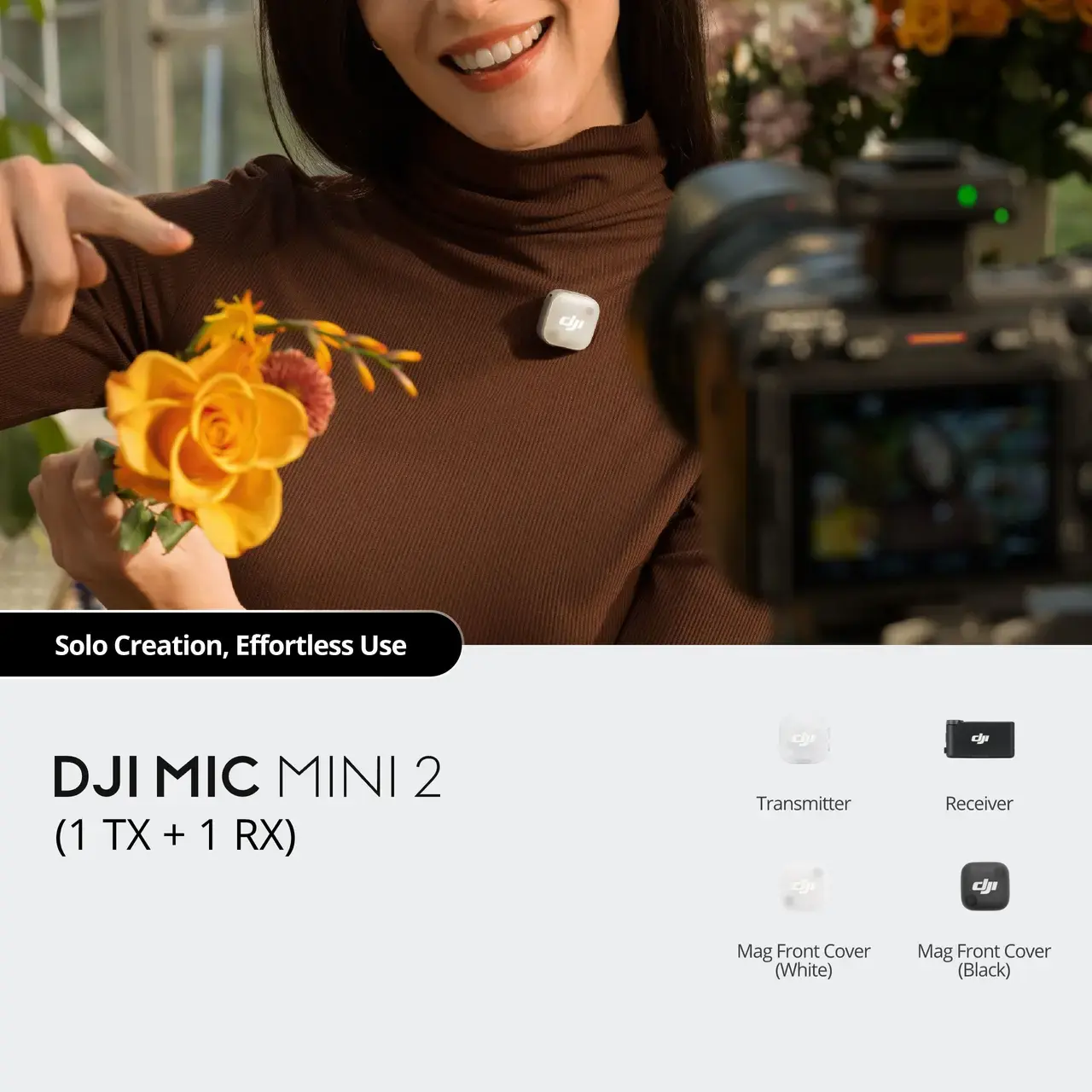
The DJI Mic Mini 2 (1 TX + 1 RX) is an ultra-compact wireless microphone system designed for content creators, vloggers, streamers, interviewers and mobile filmmakers who want to record professional audio without carrying heavy equipment. This set includes one transmitter (TX) and one receiver (RX), ideal for solo recording, presentations, tutorials, social media content and on-the-go filming. Thanks to its lightweight design of only about 11 grams, the microphone remains discreet and comfortable during prolonged use. The DJI Mic Mini 2 combines high sound quality with easy plug-and-play functionality for cameras, smartphones and computers.

| Product | DJI Mic Mini 2 (1 TX + 1 RX) |
| EAN | 6937224139787 |
| Product | DJI Mic Mini 2 (1 TX + 1 RX) |
| Product type | Microphone |
| Audio recording | 48kHz / 24-bit |
| Microphone type | Omnidirectional |
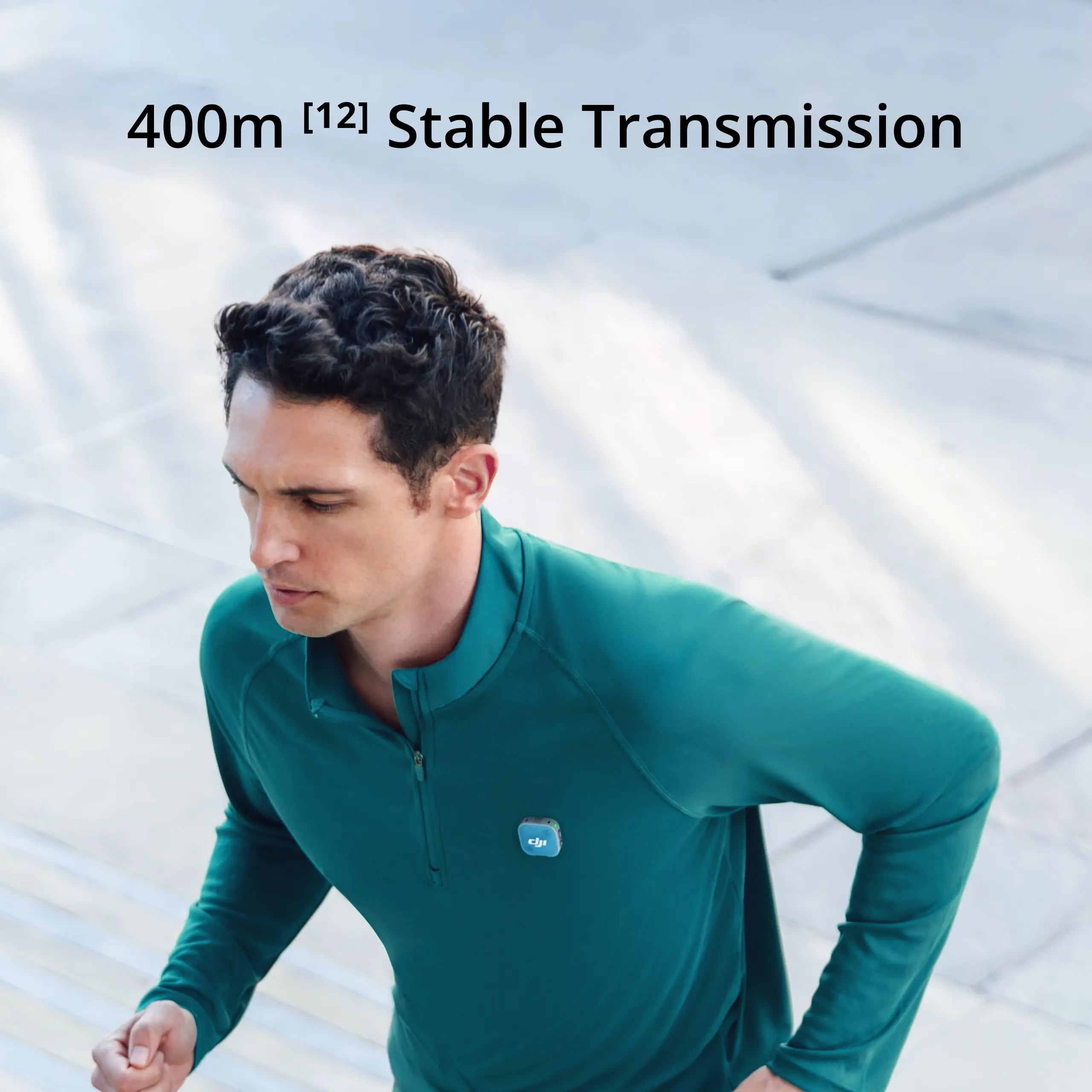
| Wireless transmission | Up to 400 m |
| Bluetooth | Bluetooth 5.3 |
| Noise Cancelling | Yes, 2 levels |
| Voice Presets | Regular / Rich / Bright |
| Transmitter weight | Approx. 11 g |
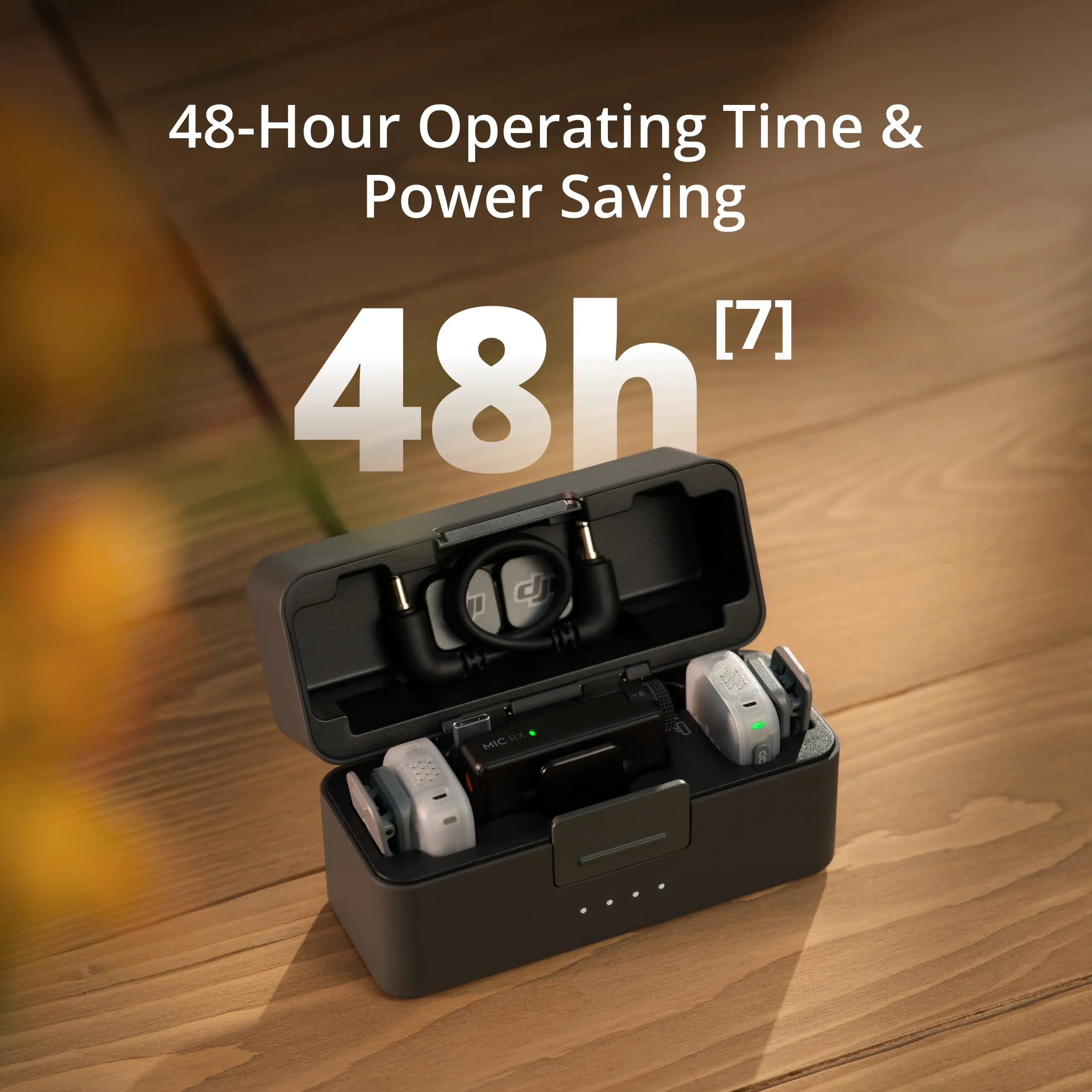
| Battery life Transmitter | Up to 11.5 hours |
| Battery life Receiver | Up to 10.5 hours |
| Connectivity | USB-C / 3.5 mm TRS / Bluetooth |
| Compatible devices | Cameras, smartphones, tablets, computers |
| OsmoAudio support | Yes |
| Colour | Black |
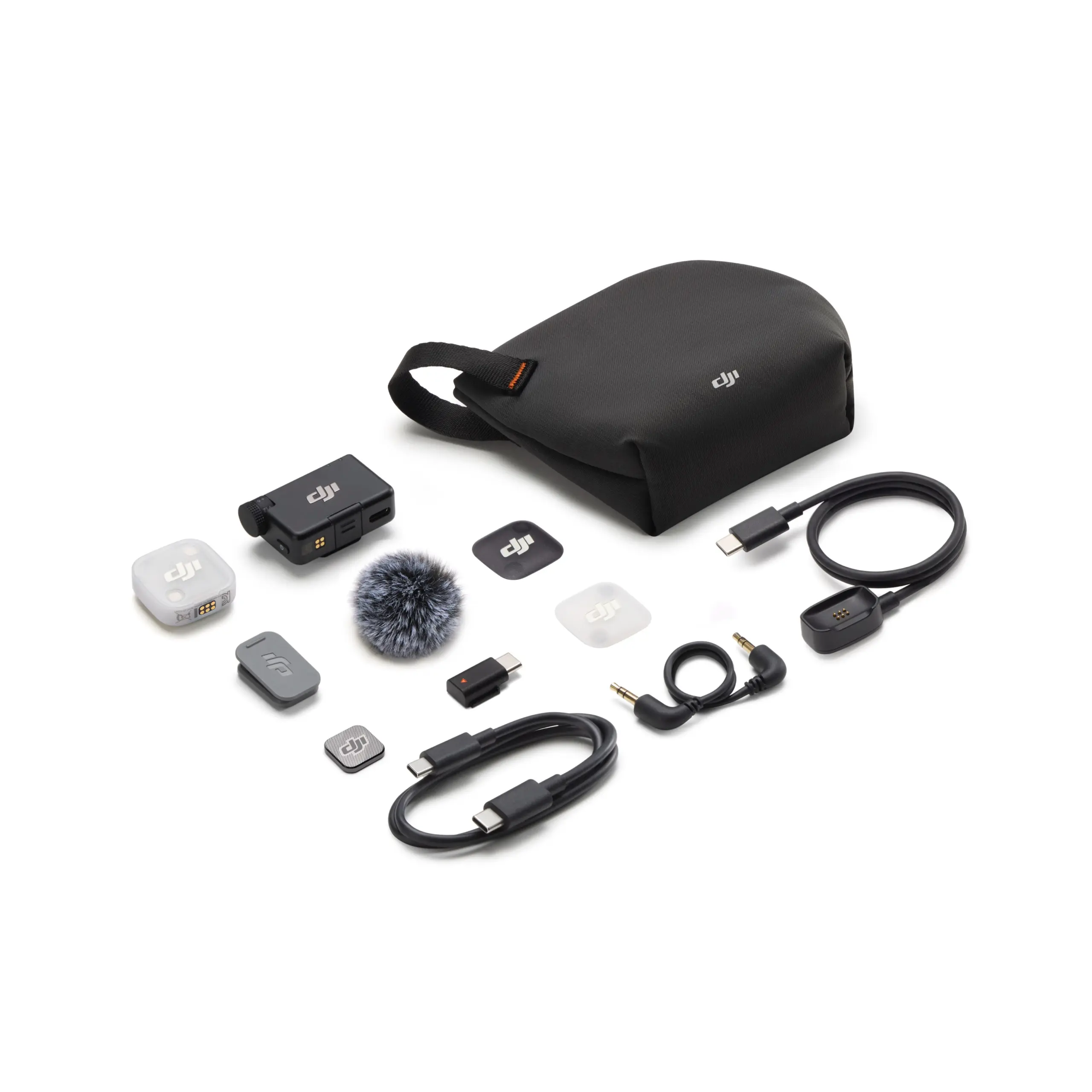
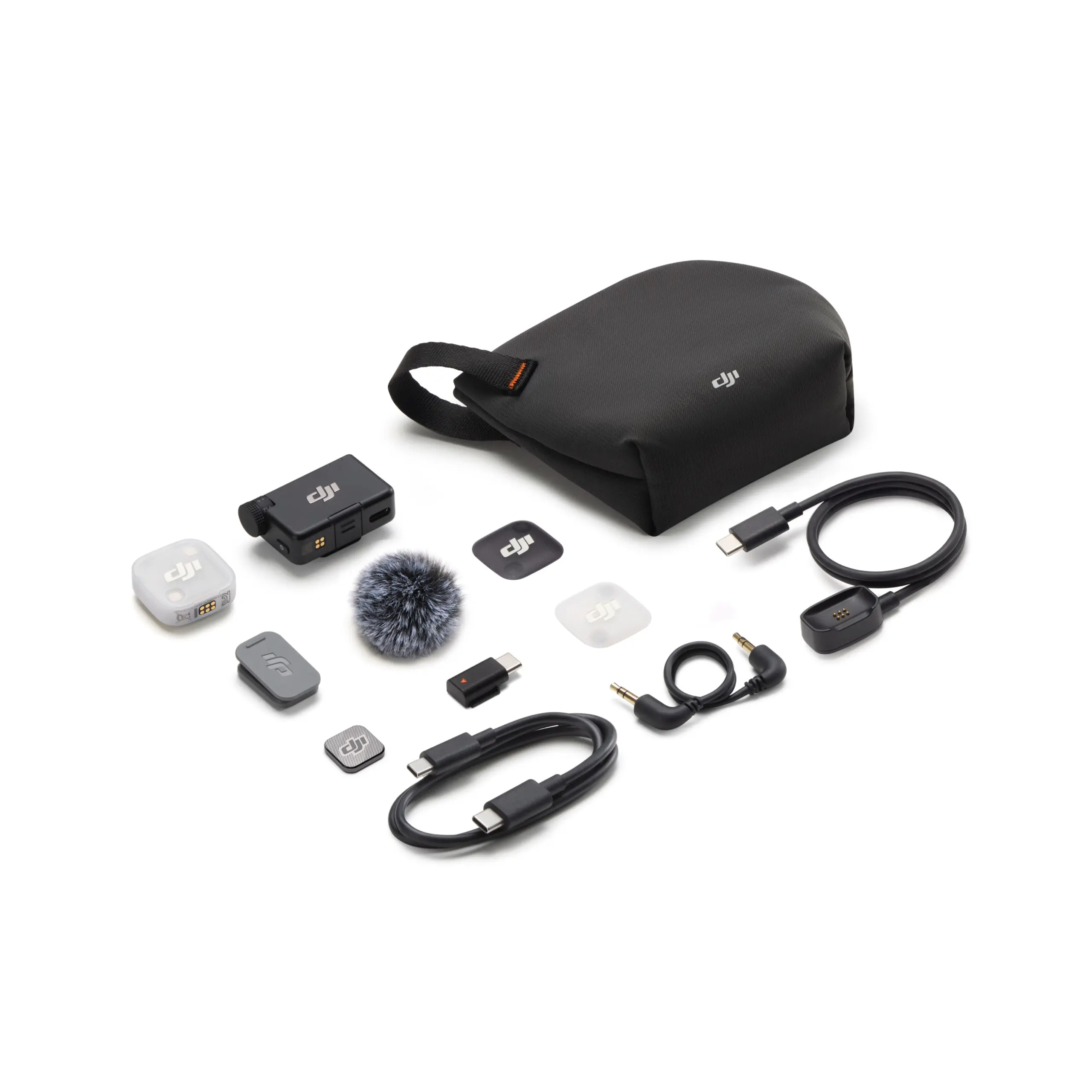
| 1 x DJI Mic Mini 2 Transmitter |
| 1 x DJI Mic Mini Receiver |
| 1 x DJI Mic Mini 2 Windscreen (Black/Grey) |
| 1 x DJI Mic Mini 2 Magnetic Front Cover (Obsidian Black) |
| 1 x DJI Mic Mini 2 Magnetic Front Cover (Glaze White) |
| 1 x DJI Mic Mini 2 Magnetic Clip |
| 1 x DJI Mic 3 Magnet |
| 1 x DJI Mic Mini Compact Carrying Case |
| 1 x DJI Mic Mini Mobile Phone Adapter (USB-C) |
| 1 x DJI Mic Mini Camera Audio Cable (3.5mm TRS) |
| 1 x DJI Mic USB-C Charging Cable |
| 1 x DJI Mic Mini 2 Transmitter Magnetic Charging Cable |
| DJI Osmo Pocket 3 |
| DJI Osmo 360 |
| DJI Osmo Nano |
| DJI Osmo Action 6 |
| DJI Osmo Action 5 Pro |
| DJI Osmo Action 4 |
| Smartphones with USB-C |
| iPhone with Lightning adapter |
| Android smartphones |
| Tablets with USB-C |
| Computers with USB-C |
| Cameras with 3.5 mm audio input |
| DJI Mic Mini transmitters |
| DJI Mic Mini receivers |
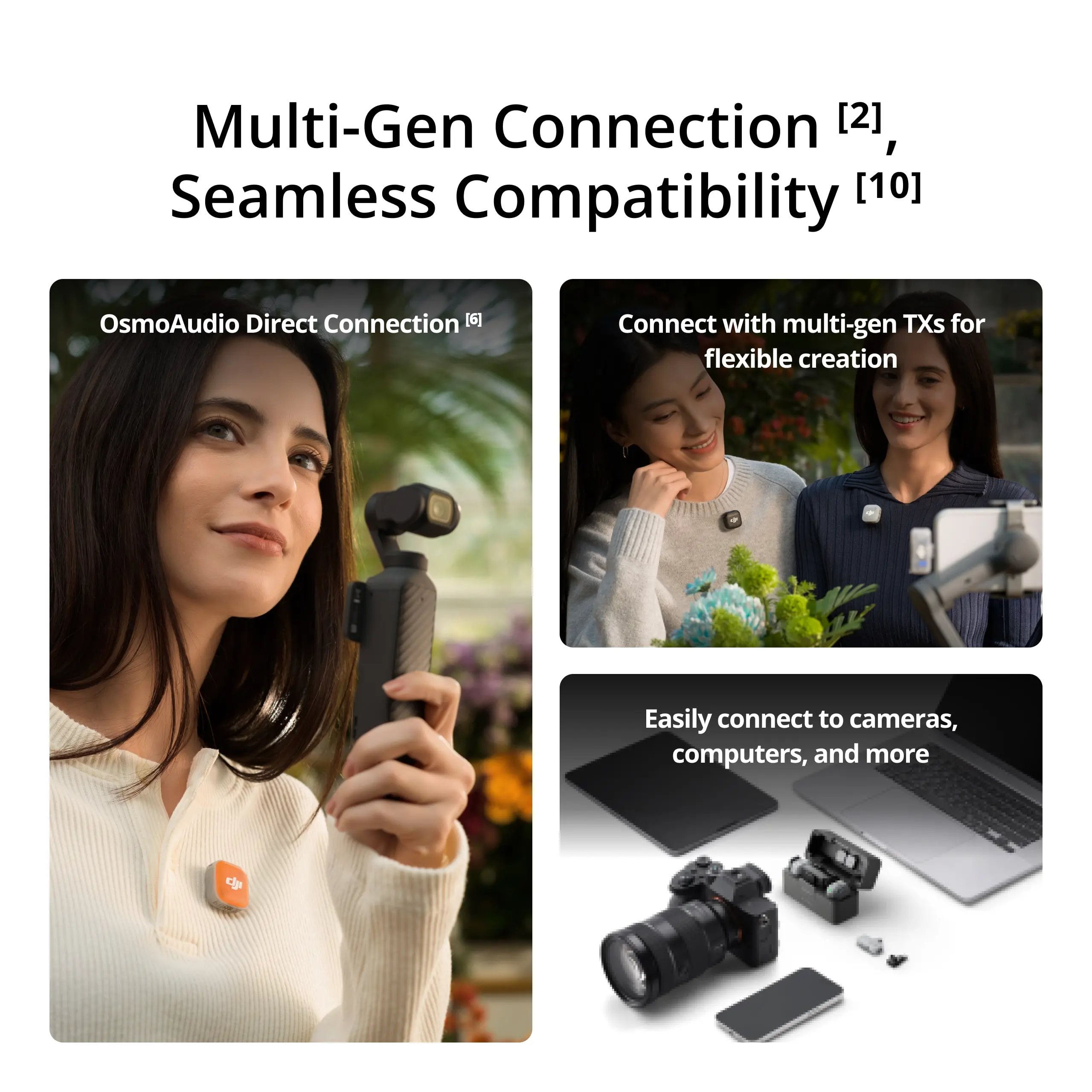
You can use the DJI Mic Mini 2 with a range of devices, including cameras, smartphones (via USB-C/Lightning adapter or via a direct Bluetooth connection) and computers. The DJI Mic Mini 2 supports the DJI OsmoAudio connection ecosystem.
The transmitter supports a direct Bluetooth connection to the Osmo Pocket 4, Osmo 360, Osmo Nano or Osmo Action 6 without a receiver, ensuring high-quality audio and simplifying your equipment and workflow.
For details, refer to the DJI Mic Mini 2 website download page for the mobile phone and tablet compatibility list and the OsmoAudio compatibility list. Osmo Pocket 4, Osmo 360, Osmo Nano and Osmo Action 6 are sold separately.
DJI Mic Mini 2 (2 TX + 1 RX + Charging Case): Contains one charging case, one receiver and two transmitters. Suitable for two-person audio recording and offers longer battery life.
DJI Mic Mini 2 (1 TX + 1 RX): Contains one receiver and one transmitter. Suitable for audio recording by one person (individual creators).
DJI Mic Mini 2 (2 TX + 1 Mobile RX + Charging Case): Includes a charging case, one mobile receiver and two transmitters. Offers longer battery life and is suitable for two-person recording via smartphones.
DJI Mic Mini 2 (1 TX + 1 Mobile RX + Charging Case): Includes one charging case, one mobile receiver and one transmitter. Offers longer battery life and is suitable for solo makers and other one-person scenarios via smartphones.
The DJI Mic Mini 2 transmitter can be used with mobile phones, Osmo Pocket 4, Osmo 360, Osmo Nano, Osmo Action 6 and other ecosystem devices.
The DJI Mic Series mobile receiver can be used with smartphones (USB-C/Lightning port), computers (USB-C port), Osmo Action 4 (USB-C port), Action 5 Pro (USB-C port), Osmo Pocket 4 (USB-C port), Osmo 360 (USB-C port) and more.
The DJI Mic Mini 2 is ready to use without activation. You can scan the QR code on the packaging to register for a one-year warranty extension.
Connect the DJI Mic Mini receiver to the phone via the DJI Mic Mini phone adapter (USB-C) and update the firmware for both the receiver and the transmitter in the DJI Mimo app.
The mobile receiver can be connected to a phone via the USB-C plug or with the DJI Mic series mobile receiver adapter (USB-C to Lightning), allowing firmware updates for both the receiver and the DJI Mic Mini/DJI Mic Mini 2 transmitter in the DJI Mimo app. If two DJI Mic 2/Mic 3 transmitters are connected, or a mix of Mic Mini 2, Mic 2 and Mic 3 transmitters (via blue lightning mode), you cannot upgrade both transmitters directly; you need to upgrade each transmitter separately via the DJI Mic 2 and DJI Mic 3 official website, respectively.
A DJI Mic Mini 2 transmitter can also connect directly to a phone via Bluetooth to complete the firmware update.
The DJI Mic Mini phone adapter (USB-C) is sold separately.
The transmitters and receiver in the same combo are already paired by default. If you need to re-pair them, you can do so as follows:
DJI Mic Mini receiver:
Method 1: Place the transmitters and receiver in the charging case and they are automatically paired.
Method 2: Turn on the transmitters and the receiver. Press and hold the pairing button on both the transmitters and the receiver. When the system status LED on the transmitter alternately flashes green and blue, pairing is in progress. When the LED is constantly green, pairing is complete.
DJI Mic series mobile receiver: Press and hold the pairing button on the mobile receiver to enter pairing mode (the transmitter status LED flashes green). Now you can connect Mic Mini or Mic Mini 2 transmitters. Switch on the transmitters and press and hold the pairing button on each transmitter in turn. After successful pairing, the LEDs light steady green.
Pressing and holding the pairing button on the mobile receiver twice opens blue light pairing mode. Now you can connect DJI Mic 2 or Mic 3 transmitters, or create a mix. After successful pairing, the LEDs illuminate blue constantly.
The DJI Mic Mini 2 has three recording modes: M (Mono), S (Stereo) and Ms (Mono Safety Track).
S: Stereo mode. Audio from the two transmitters is recorded via separate channels.
M: Mono mode. The audio from the two transmitters is merged into one channel.
Ms: Mono with Safety Track. Two tracks are recorded: the main track at normal volume and a backup track at -6 dB to protect against distortion during sudden volume increases.
When using Ms mode, separate the tracks during post-processing.
The case can store transmitters with the windshield and magnetic cover installed. The cover can hold magnets, clips or cables. A fully charged case can charge two transmitters and one receiver about 3.6 times.
The smaller case (1 TX + 1 Mobile RX) can charge a transmitter about 1.3 times.
They are interchangeable with the phone adapter of the DJI Mic Mini, but not with other devices such as the original DJI Mic, Mic 2 or Pocket 2.
They are compatible with the DJI Mic Mini transmitters and receivers, but not with the DJI Mic, Mic 2 or Mic 3.
With the standard RX: up to 400 metres (free field).
With the mobile RX (green mode): up to 300 metres.
With the mobile RX (blue mode/mix): up to 200 metres.
At room temperature, it takes about 100 minutes for the receiver and 70 minutes for the transmitters through the case. The case itself fully charges in about 2 hours.
The DJI Mic Mini 2 has two levels.
With the standard receiver: press the transmitter power button once or use the DJI Mimo app.
With the mobile receiver: use the physical switch on the receiver (Off, Low, High).
For direct Bluetooth connection: Via the menu of the connected device (e.g. Osmo Pocket 4).
Yes. The transmitter automatically goes into sleep mode if no signal is detected from the receiver. There is also an automatic power-off function (Auto Power-Off) after 15 minutes of inactivity, which can be set via the DJI Mimo app.
The magnetic force is 10 N.
The DJI Mic Mini 2 uses single-pole magnetisation and can attract iron objects up to 1.0 kg.
All magnetic products contain magnets. It is recommended to keep the DJI Mic Mini 2 Magnetic Clip and the DJI Mic 3 Magnet away from bank cards, pacemakers, RAM chips and hard drives.
Use them NOT in combination with thick clothing (such as jumpers, down jackets, etc.). The transmitters may fall off due to insufficient magnetic force.
Be careful when used during intense physical activity (e.g. jumping, sprinting, etc.).
The DJI Mic Mini 2 transmitter can be attached to collars, lapels, hat brims and more using the magnetic clip. The magnetic clip allows attachment in four directions (up, down, left or right) for optimal sound recording. The transmitter can also be attached to other parts of your clothing with the magnet, such as in the middle of flexible fabrics, to prevent sagging. In addition, the transmitter has a built-in magnet, so it can be placed on metal objects for recording as needed.
Omnidirectional (omnidirectional).
Green light mode: Transmitters connect to a receiver over the 2.4 GHz frequency band.
Blue light mode: Transmitters connect directly to selected DJI products via DJI OsmoAudio, or connect to smartphones via Bluetooth.
The permissible operating frequency varies by country and region. Consult local laws and regulations for more information.
The DJI Mic Mini 2 supports the DJI OsmoAudio connection ecosystem. The transmitter can connect directly to selected DJI products: one transmitter for the Osmo Action 4, and up to two transmitters for the Osmo Pocket 4, Osmo 360, Osmo Nano and Osmo Action 6.
The transmitter can also connect directly to your smartphone via Bluetooth. With a direct Bluetooth connection to a smartphone, the noise reduction level cannot be adjusted in the DJI Mimo app (it defaults to ‘Strong’); Low Cut settings are also not supported in the app in this mode.
No, the DJI Mic Mini 2 transmitter has no internal memory and therefore cannot be used as a standalone voice recorder.
The DJI Mic Mini 2 transmitter has a magnetic, interchangeable front cover and comes standard with covers in Obsidian Black and Glaze White. Additional coloured windshields and magnetic front covers are available separately. To replace the cover, simply unscrew it via the notch at the bottom of the transmitter and insert the new cover.
The DJI Mic Mini 2 Multi-Color Windscreen and the DJI Mic Mini 2 Multi-Color Magnetic Front Cover are sold separately.
The DJI Mic Mini Receiver and the DJI Mic Series Mobile Receiver can each connect to up to two DJI Mic Mini 2 transmitters simultaneously.
No.
You can enable audio playback without disconnecting in the DJI Mimo app.
After enabling this feature, you can play audio through your phone without removing the receiver; when disabled, you must disconnect the receiver to play audio through your phone.
Yes. When the DJI Mic Mini Receiver is connected to your phone via a smartphone adapter, or when the DJI Mic Series Mobile Receiver is connected directly to your phone, you can use a charging cable to charge both the mobile phone and the receiver via the receiver's USB-C port.
For a list of compatible devices, refer to the download page on the official DJI Mic Mini 2 website.
The OUT port of the DJI Mic Mini Receiver provides analogue signals for connections to cameras.
The DJI Mic Mini smartphone adapter (USB-C/Lightning) and the USB-C port of the DJI Mic Mini Receiver emit digital signals.
When the DJI Mic Mini Receiver is connected to a camera via a 3.5mm TRS cable, you can enable this function via the DJI Mimo app. The receiver then automatically switches on and off in sync with the camera.
The mobile receiver can connect to up to two transmitters at the same time.
The mobile receiver can simultaneously connect to up to two DJI Mic Mini or two DJI Mic Mini 2 transmitters. Press and hold the pairing button on the receiver to enter pairing mode (the transmitter status LED flashes green). Then press and hold the pairing button on each transmitter in turn. After a successful pairing, the LEDs on both the transmitter and the receiver will light steady green.
Pressing the pairing button on the receiver twice and then holding it in, opens blue light pairing mode (the transmitter status LED flashes blue). At this point, you can connect two DJI Mic 2 or Mic 3 transmitters, or create a mix of Mic Mini, Mic Mini 2, Mic 2 and Mic 3 transmitters. After a successful pairing, the LEDs light blue constantly.
Refer to the ‘DJI Mic Series Mobile Receiver Cross-Model Compatibility List’ on the download page of the DJI Mic Mini 2 website for details on compatibility.
The mobile receiver allows quick adjustment of noise reduction via the physical switch (Off = O, Low = L, High = H).
Once the transmitter is connected to the mobile receiver, noise reduction can only be adjusted via this switch on the receiver. It cannot then be switched on or off via the DJI Mimo app or the transmitter itself.
After connecting the mobile receiver to your phone (via the USB-C plug or Lightning adapter), open the DJI Mimo app to adjust the gain settings on your phone.
The DJI Mic Series Mobile Receiver Adapter (USB-C to Lightning) is sold separately.
Yes, once connected, you can adjust noise reduction via the physical switch on the receiver and fine-tune additional settings via the DJI Mimo app.
Yes. When connected via USB-C, the receiver is powered by the phone (Lightning ports require the separate adapter). When the USB-C charging port on the receiver is connected to an external power source, both the receiver and the phone are charged at the same time.
Note that removing the external power source temporarily interrupts the audio. Do not disconnect the power source during operation.
The mobile receiver supports Mono, Stereo (two-channel) and Ms (Mono Safety Track) modes. You can check the current mode in the DJI Mimo app on your phone.
Currently compatible with smartphones (USB-C or Lightning), computers (USB-C), Osmo Action 4/5 Pro/6 (USB-C), Osmo Pocket 4 (USB-C), Osmo 360 (USB-C) and more.
Yes, but you need to purchase the DJI Mic Series Mobile Receiver Adapter (USB-C to Lightning) separately for this.
No, connection via a 3.5mm TRS cable is not supported. For Sony cameras with a hot shoe (hot shoe), you can connect via the DJI Mic Series Camera Adapter (for Sony Cameras).
Yes, the USB-C port on the receiver supports monitoring via USB-C headphones (analogue transmission) or via a 3.5mm adapter. Monitor volume can be adjusted in the DJI Mimo app.
Yes. The receiver can update up to two DJI Mic Mini/Mini 2 transmitters at the same time via the phone. However, when connecting to Mic 3 or Mic 2 transmitters, they must be updated separately.
With two Mic Mini / Mic Mini 2 transmitters: up to 300 metres.
In a mixed setup (e.g. one Mic Mini and one Mic 2): maximum 200 metres.
(By comparison, the standard DJI Mic Mini Receiver reaches up to 400 metres).
The DJI Mic Series Camera Adapter allows you to connect the DJI Mic Mini Receiver directly to the MI flash shoe (hot shoe) of a Sony camera. This allows you to record audio without the audio cable (3.5mm TRS). It supports digital audio recording in 48kHz 24-bit. When using this adapter, the Sony camera can also power the receiver.
After enabling the ‘Auto On/Off With Camera’ function in the DJI Mimo app, the receiver will automatically switch on and off in sync with the camera when connected via the hot shoe.
In addition, this adapter can solve the problem of electrical noise that can occur when certain Sony cameras (such as the A7S3, FX3, A6700, etc.) are connected to specific microphones with a 3.5mm TRS cable.
The DJI Mic Series Camera Adapter is only compatible with Sony cameras with an MI flash shoe. For a list of compatible devices, refer to the download page on the official DJI Mic Mini 2 website.
No.
The DJI Mic Series Camera Adapter enables digital audio recording and allows the camera to power the receiver, while the camera audio cable (3.5mm TRS) supports analogue audio recording. With both connection methods, the receiver supports the ‘Auto On/Off With Camera’ function.
If your camera does not support digital audio signals, it will not recognise the DJI Mic Series Camera Adapter. For a list of compatible devices, refer to the download page on the official DJI Mic Mini 2 website.
| Product | DJI Mic Mini 2 (1 TX + 1 RX) |
| EAN | 6937224139787 |
| Product | DJI Mic Mini 2 (1 TX + 1 RX) |
| Product type | Microphone |
| Audio recording | 48kHz / 24-bit |
| Microphone type | Omnidirectional |
| Wireless transmission | Up to 400 m |
| Bluetooth | Bluetooth 5.3 |
| Noise Cancelling | Yes, 2 levels |
| Voice Presets | Regular / Rich / Bright |
| Transmitter weight | Approx. 11 g |
| Battery life Transmitter | Up to 11.5 hours |
| Battery life Receiver | Up to 10.5 hours |
| Connectivity | USB-C / 3.5 mm TRS / Bluetooth |
| Compatible devices | Cameras, smartphones, tablets, computers |
| OsmoAudio support | Yes |
| Colour | Black |
| 1 x DJI Mic Mini 2 Transmitter |
| 1 x DJI Mic Mini Receiver |
| 1 x DJI Mic Mini 2 Windscreen (Black/Grey) |
| 1 x DJI Mic Mini 2 Magnetic Front Cover (Obsidian Black) |
| 1 x DJI Mic Mini 2 Magnetic Front Cover (Glaze White) |
| 1 x DJI Mic Mini 2 Magnetic Clip |
| 1 x DJI Mic 3 Magnet |
| 1 x DJI Mic Mini Compact Carrying Case |
| 1 x DJI Mic Mini Mobile Phone Adapter (USB-C) |
| 1 x DJI Mic Mini Camera Audio Cable (3.5mm TRS) |
| 1 x DJI Mic USB-C Charging Cable |
| 1 x DJI Mic Mini 2 Transmitter Magnetic Charging Cable |
The DJI Mic Mini 2 (1 TX + 1 RX) is an ultra-compact wireless microphone system designed for content creators, vloggers, streamers, interviewers and mobile filmmakers who want to record professional audio without carrying heavy equipment. This set includes one transmitter (TX) and one receiver (RX), ideal for solo recording, presentations, tutorials, social media content and on-the-go filming. Thanks to its lightweight design of only about 11 grams, the microphone remains discreet and comfortable during prolonged use. The DJI Mic Mini 2 combines high sound quality with easy plug-and-play functionality for cameras, smartphones and computers.
| DJI Osmo Pocket 3 |
| DJI Osmo 360 |
| DJI Osmo Nano |
| DJI Osmo Action 6 |
| DJI Osmo Action 5 Pro |
| DJI Osmo Action 4 |
| Smartphones with USB-C |
| iPhone with Lightning adapter |
| Android smartphones |
| Tablets with USB-C |
| Computers with USB-C |
| Cameras with 3.5 mm audio input |
| DJI Mic Mini transmitters |
| DJI Mic Mini receivers |
No products were found for this search.
€66,00€54,55
Select whether prices are shown including or excluding VAT. You can change this preference at any time with the switch next to the price.
| Cookie | Duration | Description |
|---|---|---|
| cookielawinfo-checkbox-analytics | 11 months | This cookie is set by GDPR Cookie Consent plugin. The cookie is used to store the user consent for the cookies in the category "Analytics". |
| cookielawinfo-checkbox-functional | 11 months | The cookie is set by GDPR cookie consent to record the user consent for the cookies in the category "Functional". |
| cookielawinfo-checkbox-necessary | 11 months | This cookie is set by GDPR Cookie Consent plugin. The cookies is used to store the user consent for the cookies in the category "Necessary". |
| cookielawinfo-checkbox-others | 11 months | This cookie is set by GDPR Cookie Consent plugin. The cookie is used to store the user consent for the cookies in the category "Other. |
| cookielawinfo-checkbox-performance | 11 months | This cookie is set by GDPR Cookie Consent plugin. The cookie is used to store the user consent for the cookies in the category "Performance". |
| viewed_cookie_policy | 11 months | The cookie is set by the GDPR Cookie Consent plugin and is used to store whether or not user has consented to the use of cookies. It does not store any personal data. |